
Create managers to separate tracking their activity by issuing loyalty cards and drive loyalty program. Managers can be divided by sales points or by shifts. For each manager there is a separate statistics of accruals, so you can track staff performance.
You can create up to 10 managers on Business plan and up to 50 managers on Pro plan.
Depending on your plan status number of locations and managers can be increased up to unlimited. Every manager has his/her own access to the mobile app scanner.
You can use the browser scanner PWA app to scan customer cards or manually lookup a customer.
Browser Scanner (PWA) #
- Login to the DRC Dashboard
https://app.digitalrewards.cards - Open the Progressive Web App (PWA) from your mobile phone:
https://app.digitalrewards.cards/scanner-app
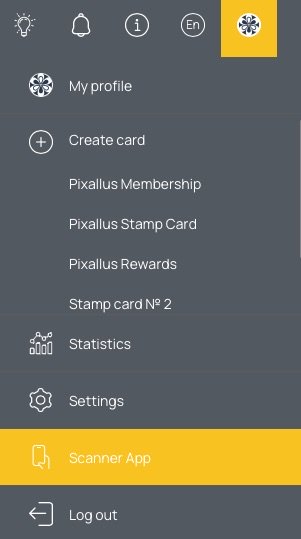
- You’ll be able to install the scanner app onto your home screen.
- Then you can scan customers’ cards, credit them with stamps and redeem rewards.
- Select the number of stamps and click “Add/Remove stamp”.
Kiosk Mode (auto accrual) #
- To automatically accrue the configured number of stamps/points (depending on the type of card) without manual input.
- There is a protection against duplicate accruals (setting the delay of accrual on the same card)
- On the “Kiosk mode” setting page all card templates created in the account are listed (both active and inactive)
- Under the card template is the operation performed in the scanner, which can be automated.
- Automation will NOT be applied to the following types of card templates:
- Stamp – Spend, Products
- Reward – Spend, Products
- Cashback
- Discount
- Gift
- Automation will be applied to the following types of card templates:
- Stamp card – Visit
- Stamp card – Stamps
(Feature for Stamp card: If “reward autoschedule” is enabled in the template settings, then in case when a stamp is charged the reward will be notified in the scanner about it) - Reward card – Visit
- Reward card – points
- Multipass
- Membership
- Coupon
- Added new settings for Stamp Card and Reward Card: new method of points/stamps accrual (relevant only for templates with Toast integration).
- With the new accrual method
- “Products” points/stamps can be received by buying certain (specified) Products.
- Also for reward cards with Toast integration added limits on the number of rewards and the period of receipt.
Manual Customer Lookup #
An alternative to using the scanner app is to open the DRC dashboard from your tablet or laptop. Then go to the Customers screen. When a customer checks out, simply ask them for the last four digits of their phone number and do a customer lookup using the search field. You’ll easily be able to apply stamps or redeem rewards to their account.